
Hello,
Would it be possible to add functionality to change a reference image depending on the value of another field?
See screenshot below.
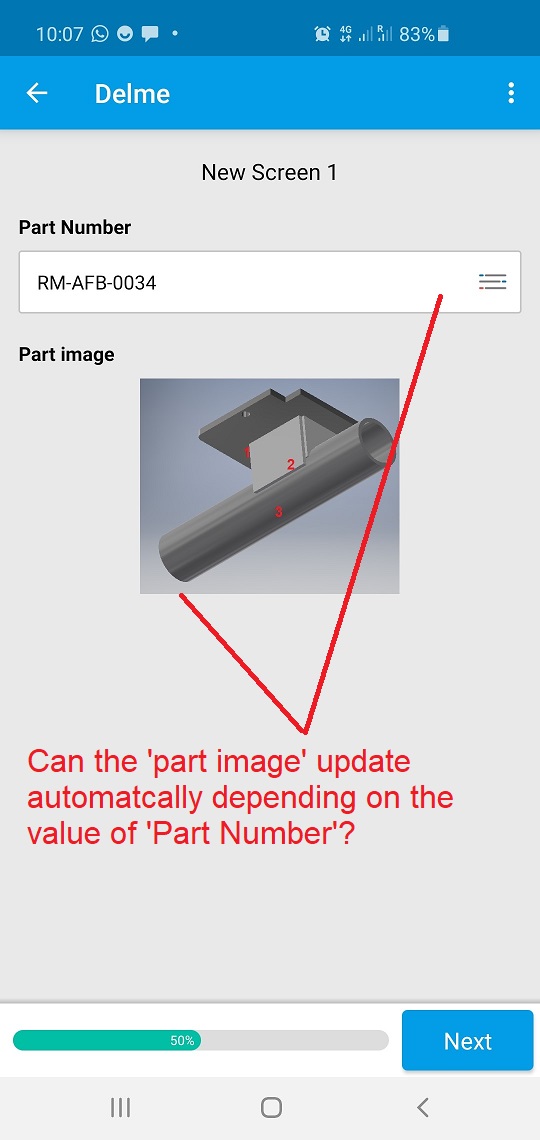
In this case, it would be usefull to display an image of the part in question depending on the part value selected from the Part Number field.
Thanks,
Donal.
4
Comments
Please sign in to leave a comment.
Howdy Donal,
Thank you for sharing this feedback and taking the time to include a screenshot example! Currently, there is no way to directly auto-populate images from Reference Data.
However, there are two potential workarounds that may suit your use case:
1) Use Conditions and Static Image fields to show certain images within your App based on user selection from a Drop Down field. Basically, you would make multiple Static Image fields that would be conditional based on the input in a Drop Down field.
or
2) Use dependent Reference Data and Web Link fields to auto-populate a link within your App. Users could select a part number from a Drop Down field, which would automatically fill a Web Link field with a link that users could click to direct them to a particular image (hosted on a third-party platform, like Google Drive or DropBox).
I understand that each of these workarounds has their drawbacks, with the Option 1 being limited to 10 Reference Images to prevent App slowdown, while Option 2 does not display images within your App.
I can see where being able to auto-populate images from Reference Data based on user input would be helpful, and I have shared this feedback directly with our Product managers for their consideration.
I definetely see use for such request too.
In our case we could show a store picture when the store code is selected.
That would allow to check if the code and picture correlate to the physical store.