
We have 2 drivers (1 driver is also the director) and 3 office admins (1 admin is the other director). At the moment, the application is registered under the first director (driver) and the second director (admin) has access to the application on the PC to be able to amend and do anything with the app. However, as you applications stands at the moment, we can not give access to the other admins (staffs) as we do not want them to be able to delete submissions or ruin the settings. It would be nice if we could have different levels of access. It would be lovely to have this feature. At the moment, if we want to do that, we have to add another user each time and pay full price for this when the admin would actually not be a real user but only have access to the submissions. I am certain that your IT engineers could do something about this and for sure lots of other companies would appreciate this feature.
For example, we are using an accounting software called Xero, for which we pay one annual fee for the business (not per user). We have then the choice to give different access and restriction to different employees. With the Office director and accountant having full access and the admins having restrictions depending on their role.
This is only a suggestion to improve your app.
Thank you for having taken the time to read me.
Kind regards
Comments
Please sign in to leave a comment.
Howdy Jean-Claude,
Thank you for this feedback! For your other office staff, what sort of access are you trying to provide?
If you simply need them to be able to view completed Submissions, you could set up an integration through GoCanvas to have a copy of each completed Submission sent to a third-party platform, such as Dropbox or Google Drive.
This way, you could provide your office staff with access to the third-party platform, where they could view the completed Submission PDFs, but not affect any settings within GoCanvas.
Here is a link to a related Help Center topic with more details on how to set up a standard integration through GoCanvas.
Since GoCanvas is a subscription platform designed on a per-User basis, another workaround would be to add one more license/user to your account, then set them as a Company Reporter role. This means you would have another license that your office staff could use to log into the GoCanvas website from any computer to download/email/view Submissions, but not affect other settings.
For more details on setting different user roles within GoCanvas, please check out this Help Center topic.
My suggestion is to go one step further in this suggestion. I would like to be able to hide specific fields from certain users.
I have field technicians that use our apps, but showing them pricing data is problematic for a multitude of reasons.
I realize this is a very niche request, but it would be helpful.
Thank you .
Chris
Hey Chris,
I think there's a bit of a complicated way to get at what you're trying to do using Reference Data to sort of set up another level of permissions. Bear with me, as I'm trying to work through this as I go, but I think it could work.
Your Reference Data would establish which users have which role, something like this:
Then create and map those fields in your App (with the role field hidden on mobile):
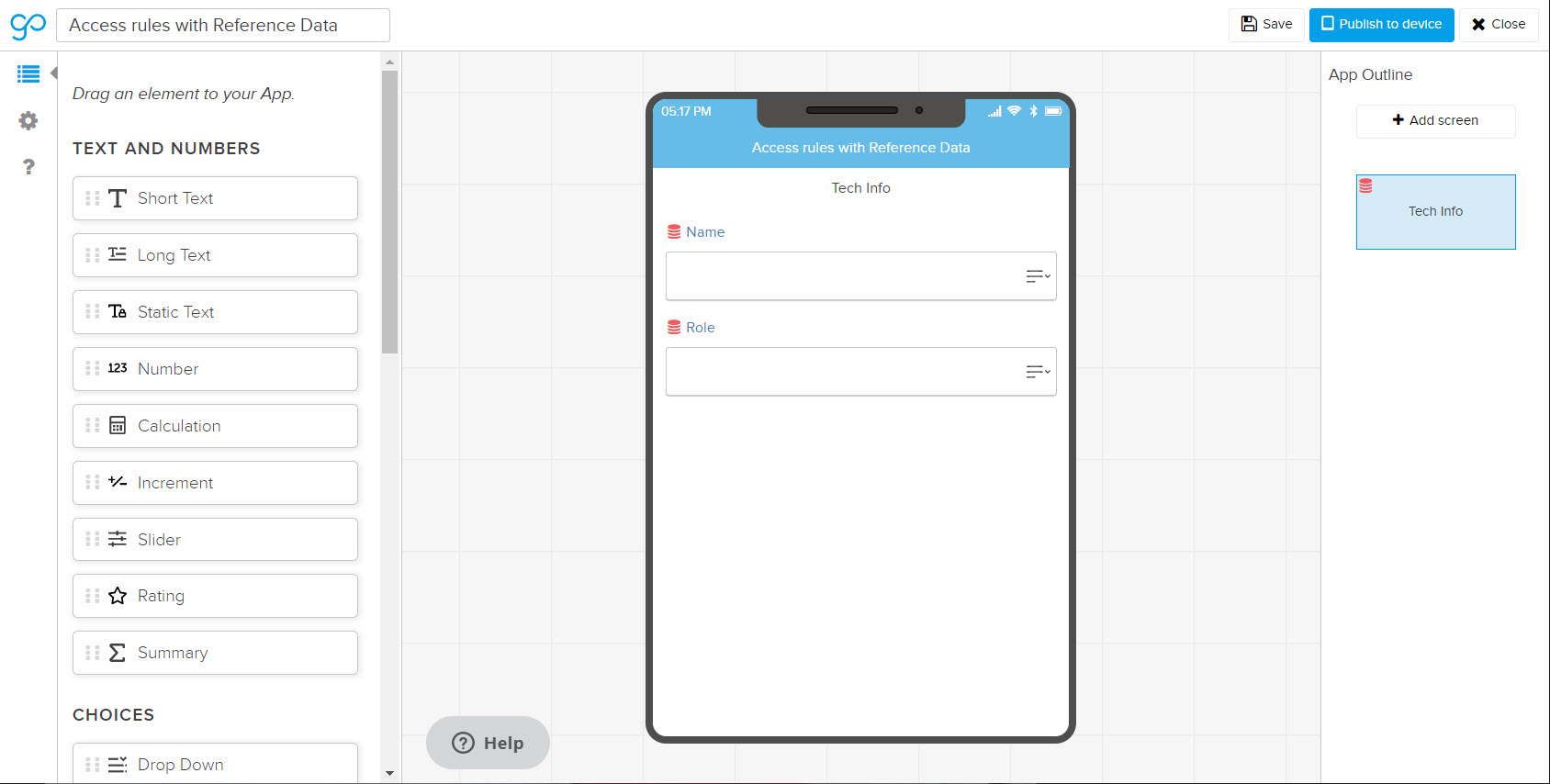
Then, for the sake of this example, I have a drop down to choose the part I need, which is based off of a Reference Data file that looks like this:
Here's where it gets fun. Now I need a number field to pull in the price based off of the part selection. So you set up Reference Data as you normally would, but you make this field hidden on mobile. This way you can put it on your PDF (if you want), but it won't show up on mobile:
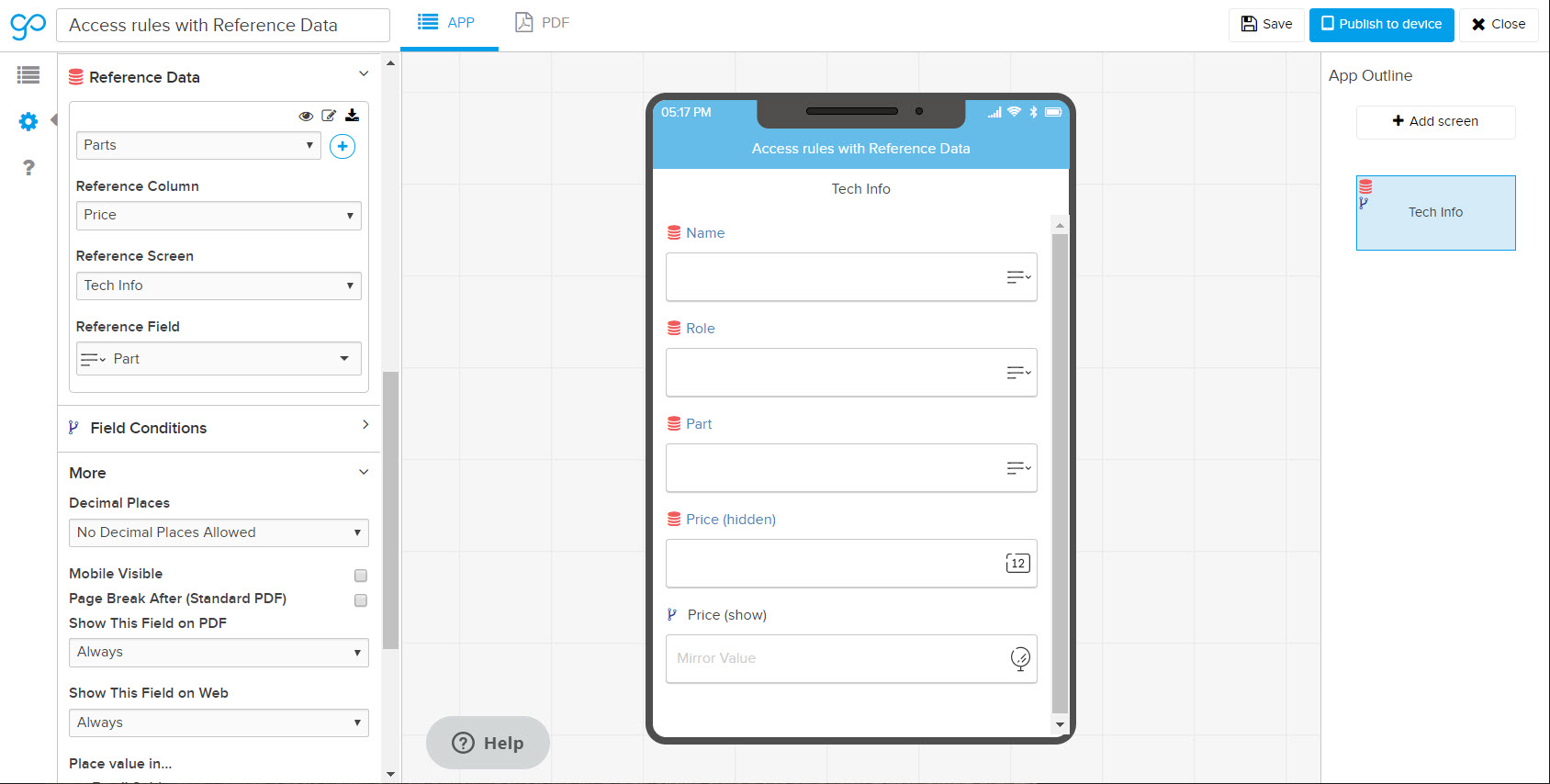
Next, you do a Mirror Field based on that Price field. This is the one that has a condition. Here, I've set it to only show if the user role is Admin:
Here's what that looks like on mobile. You can see that when an admin's name is selected (me and Chip) I see the price; when someone else is selected, that field disappears:
You'll probably want to play around a little bit with some of the field settings so that user's can't just switch to another person's username to see the price, but what do you think about this as a solution for what you're trying to do?
Without reference data, thinking you could make the fields or screens containing sensitive information conditional based upon a password (text) field within the app. If a user doesn't input the correct password the conditional fields don't appear.
Hey Sara -
Wow. That's a pretty thorough and quick response. I will give it a shot. Thank you!
Chris