
We have some pretty dramatic updates to the GoCanvas product with this release.
App Builder
We think you'll really like the new look and some of the changes we made. Overall, we obviously made a lot of changes to how things look. Some are subtle so I won't point them all out.
- Fields - We put the fields into groupings to make them easier to find.
- App Name - You can now name your app on the device in the workspace. I, for one, always have clicked on that to edit or name my App! This will save me clicks for sure!
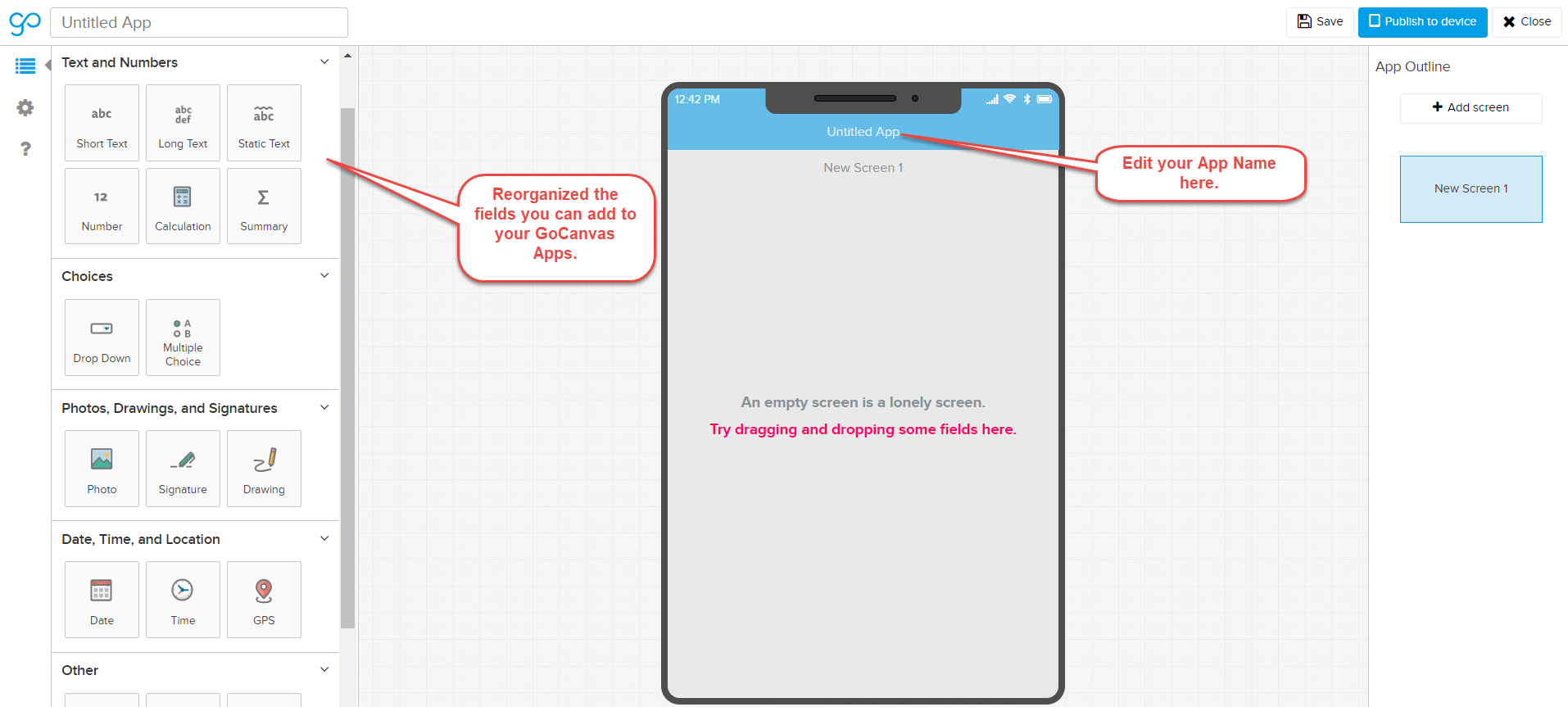
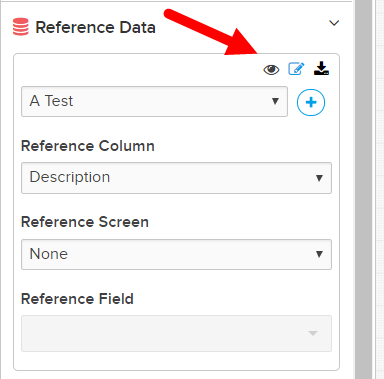
We also made changes to how our Reference Data controls looks inside the App Builder. It is a slight change but we think it is a lot cleaner now.
We also made more changes to the flow when you publish a GoCanvas App. You will assign to Groups and Users on separate screens now. And at the end you will get this screen below giving you options to navigate to wherever you want to go after publishing.
You can navigate directly to your App Settings, close the App Builder or keep editing your App.

We also changed the language for our PDF Visible and Web Visible settings. These are really powerful settings but we felt like they were not named in a way that would make sense to most folks.

PDF Designer
Wait for it....
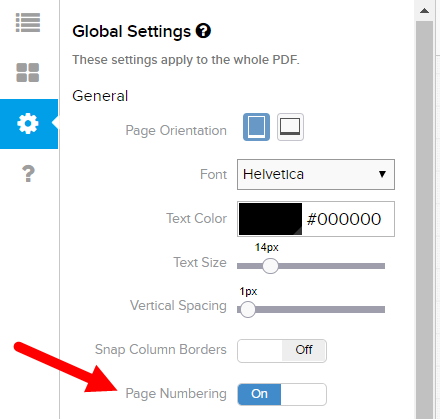
We have added PAGE NUMBERING! I know...I know... I can hardly control my excitement, too. You can enable it by going to the Global Settings area. The page number will appear in the lower right hand corner of your PDF.
Comments
Please sign in to leave a comment.
All good improvements. Page numbering at last! Thanks!
I like how the design team went out of their way to include the Apple notch so even the non-apple users can feel the pain of having that intrusive thing jutting out into their display.
What do the android developers think about the added notch?
I can seriously imagine you all sitting around a conference table having a serious debate about it.
Ha, that's a great question. I don't have any inside knowledge, but I'd hope they agree that it's better to show sort of the "worst case" scenario (not that the notch is the worst... or maybe it is) so that iPhoneX users know that even their stuff will look okay. And if it looks good there, surely it will be fine on non-notched phones. At least until something comes along that's more disruptive than the notch :)
I'm thrilled about page numbers! We all are, truthfully. It's been a long time coming, so it's great to see it live.
Started to notice this when working in the app builder. When I have published the app and it takes me to this final screen of the publishing pop up window, the pop up doesn't automatically close after selecting either "Close App Builder" or "Keep Editing". With either option I have to select the "X" to close the pop up window. The buttons on the bottom of the pop up at the end do not seem to be working.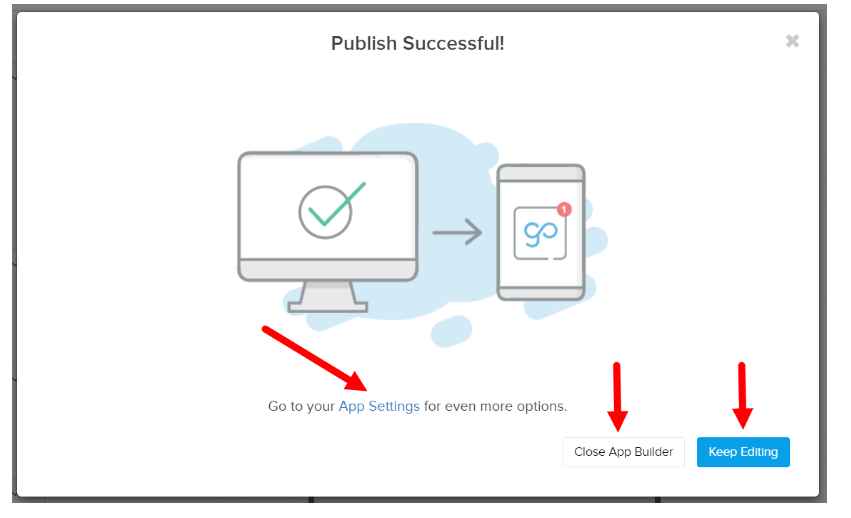
Hey Doug,
Obviously that shouldn't be happening. What browser are you using? Could you see if it behaves the same way if you switch browsers? Let me know and I can convert this into a ticket for our Support Team.
Thanks!
I am using Chrome browser. Haven't had the exact problem as Doug, but I have found that when I choose "Close App Builder" on the pop up the little red triangle appears next the app that says I am editing it elsewhere. The triangle stays there for a bit until I navigate away and come back to the screen a minute or two later.
However, I have found that if instead of closing with the pop up "Close App Builder" and choose "Keep Editing" instead, The pop-up goes away and I can close it the old way and I do not get the triangle.. I put in a ticket.. Received the typical "It's something you are doing wrong" response.
Update: The little red triangle issue didn't happen today.
Lessons I am learning.. Save and re-start your browser occassionally (once per day, at least). Why not restart the whole computer for good measure. Delete and re-install the app(s) occasionally too.
When you run into problems, try your app on another version first before you go and start making changes. Been burnt very badly on this twice now (a verison not acting like it's supposed to). E.g. Workflow stopped working on my Windows version yesterday. Same app worked fine on Android version.
Hi Sarah,
I was originally using Google Chrome as my browser. I tried again in Internet Explorer and the popup at the end still responded the same way. It didn't close after selecting either "Close App Builder" or "Keep Editing".
Thank you for checking up on this and helping get a ticket started.
Since the most recent release, I have been getting a lot of glitches. I really don't want to submit a ticket.
I use Google Chrome. Windows 7, and Android. Have on iOS device too but I haven't been using it so I don't know if there are any problems with that.
I've experienced the following:
1. App builder: Can't save changes: I make a bunch of changes, then when I try to save I get a magenta balloon that pops up telling me unable to save try again. Click, click, click.. Same result. Once it starts happening, all I can do is close my browser and lose everything I've accomplished.
2. App builder: The option to delete a screen just disappears. The little window that pops up with the garbage can/loop/copy icon won't even pop up.
3. App builder: After I delete a screen. Option to save or publish changes is grayed out.Can't save the changes.
4. App builder: Deleted screens, come back after you close and re-open the app builder.
5. App builder: Screens that should appear in the device after a hand-off don't show-up. I've tried every conceivable way and it just won't show. After a couple hours of screwing around with it, I deleted the screens.. satisfactorily saved and added all new screens with the same conditional logic and tada! now they show.. what the heck!
Update: On mobile devices: Syncing twice seems to be the answer to the screens not appearing that should be. Unfortunately, when testing hand-offs I have no choice but to send them to myself. Was having a problem on Windows getting "incomplete sync data" warnings and hand off would not work until I synced again (open ticket on this). Seems it is also affecting android, hand-off comes across but the app doesn't open correctly (conditional screens not appearing).. Sync, Sync.. took me all day to figure that out. Sync needs to wait a tad longer to download info I think. Timing out before it's finished.
6. Windows version, hand-offs just don't work. Like they are not even there.
7. Windows: Email fields that should auto-populate from reference data in the hand-off email addresses don't show up.. says "No user assigned". Jump on another device, they show up just fine..
Update: Thinking this might be another Sync, Sync issue. Hasn't happened since I started syncing twice.
For the record, no I do not have any other instances running. I've cleared the data and deleted and re-installed my windows and android versions (a few times). Shut down and re-started my computer a boat load of times, still keep getting glitches.
Hi Keith,
Sorry you're having such a rough time. I think at least some of the App Builder issues might be related to your browser timing out, if it's something you've been working on for a while. You can usually work around this by opening up a new tab in your browser, going to your GoCanvas dashboard, and logging out and back in (make sure the tab that you have your work open in stays open), then save your progress again.
When if comes to the Windows issues, those I think merit a Support Ticket. I can go ahead and put one in for you if you'd like. Did syncing twice clear up both issues?
Thanks!