
With the perspective of simplifying the use of an application for users, I would like to suggest a few things for consideration:
1. Shortcut to specific APP
2. Device specific - APP ONLY runs on specific devices (identified by MAC address).
3. IF - THEN ability in APP editing
Users don't need to be aware of other apps or logins. If the app is installed on an approved device (identified by MAC address or IMEI, etc.), then there's no need to to logon after opening the app. With the option to restrict running the APP ONLY to devices included in the list, this provides an additional level of security, while at the same time simplifying the use of the APP.
The second suggestion is to have a checkbox - IF CHECKED, then open up a sub-form OR make other fields REQUIRED.
For example:
[ ] Check if you would like to substitute french fries for a salad
IF [ ] is checked, then next choice is REQUIRED:
Choose your salad: [ ] Ceaser [ ] Garden [ ] etc.
Comments
Please sign in to leave a comment.
Sounds like most of what you are asking for is (somewhat) possible already.
Not exactly the way you are saying it though. Somewhere in the ball park though.
If you don't want someone to see an App they don't need, don't assign it to them. App can be assigned or taken away from users when you publish the app. You can also access this in the "more" App setting field after it is published.
In your account admin section, you can also create user groups. You can assign the app to the group and anyone not in that group can't see it.
There are clever ways to stop users from starting new submissions on their own. You can make an app lock at the first screen, with no user input options. An administrator can set a password field in the app that will unlock it when it is actually dispatched to them.
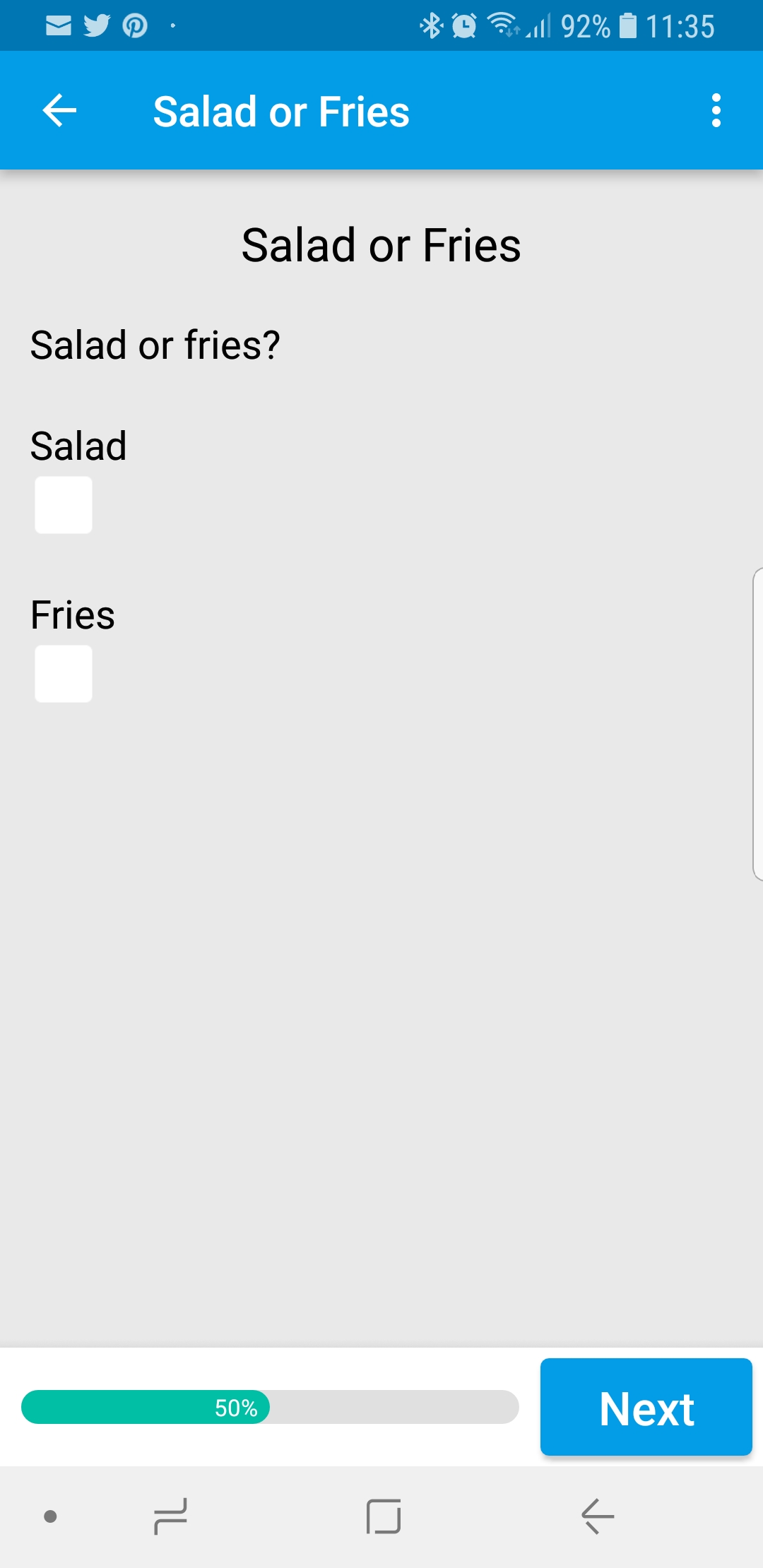
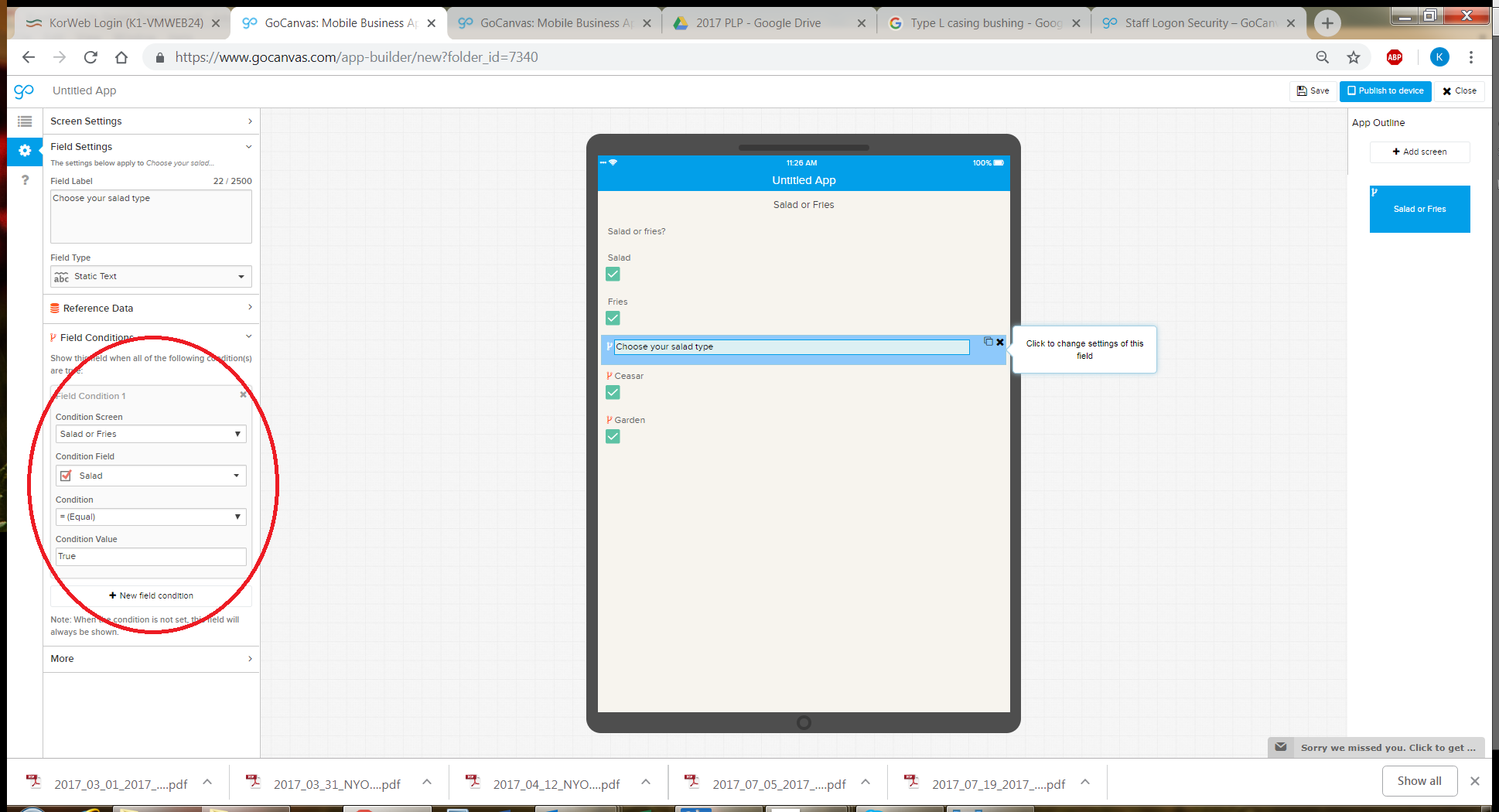
The check block options are available as conditional branching. You add something like a static text field that says "Salad or Fries?"
You add two check block fields underneath. One for 'Salad' and one for 'Fries'.
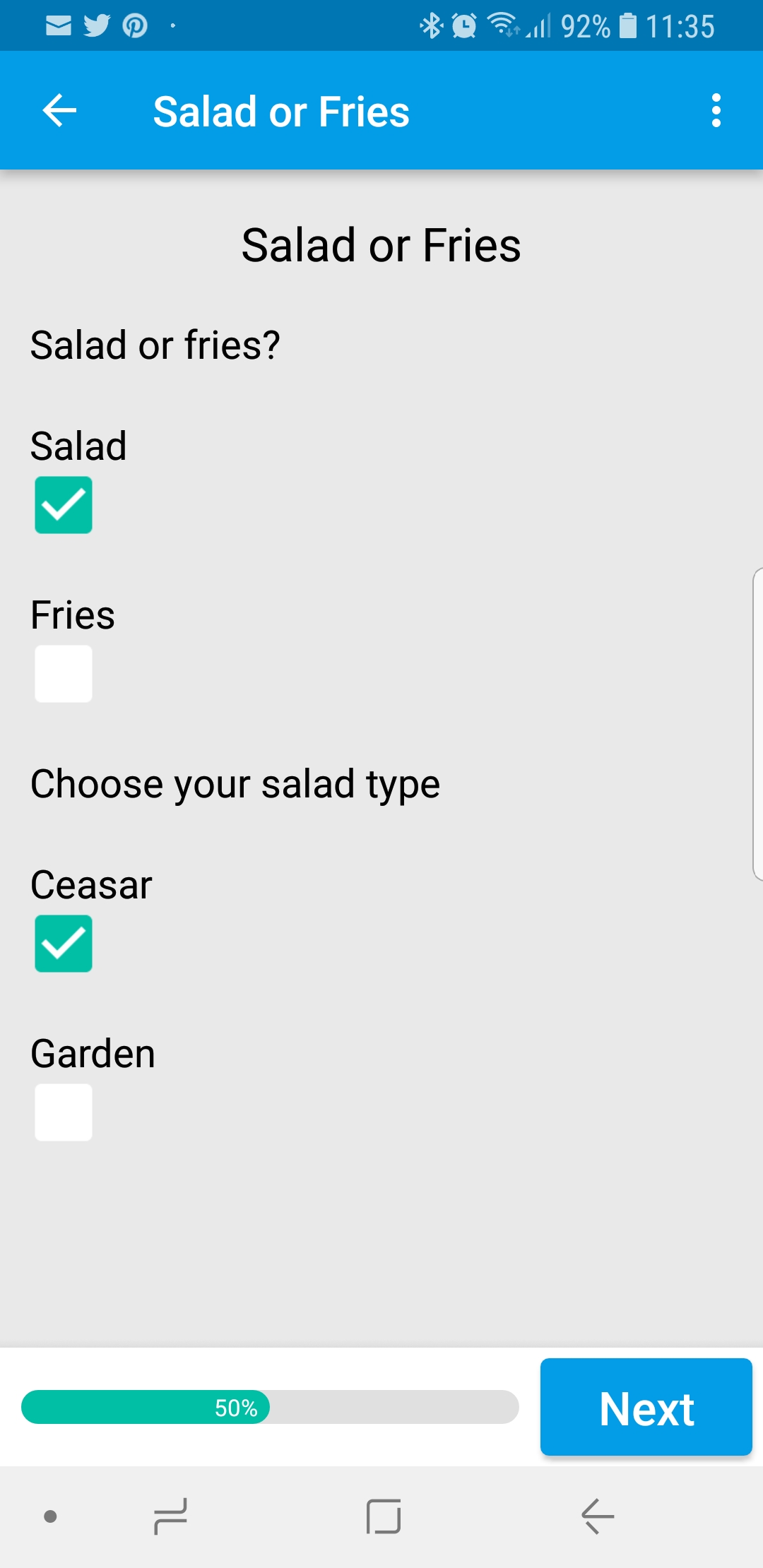
Next, you would add a "Salad Type" 'Static Text' with the check blocks underneath, one for "Caesar" and another for "House"
You now have to set conditional branching on all those fields. Field Condition 1, Condition Screen "Salad or Fries" Condition Field "Salad" checked, equals, condition value "True"
Same condition settings to be added to the "Caesar" and "House" check blocks.
So on and so on for dressing select or even ketchup for the fries.
As far as locking things down to a certain device, I don't think that currently is possible. There is no way to stop someone from downloading the app from the app store, installing, and logging in on any device.
We have iPads, and the iPads are locked down under an administrator account. The users can't add or install apps without admin intervention. Those devices can also be locked down to geographical coordinates. If someone were to steal the device, if it leaves the general area, the device will lock down and wipe itself. The administrator can also trigger the device to wipe itself, if lost.
I've attached screen shots.
Good luck!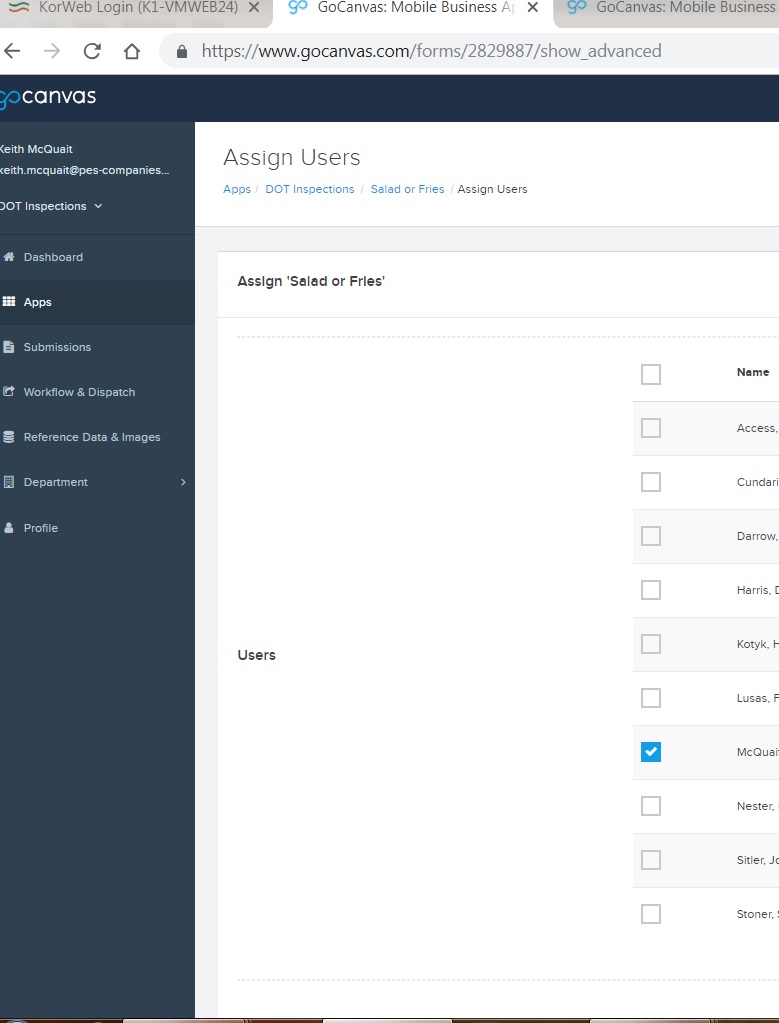
"Single Sign On" SSO is also an option for locking people out of your system. Requires user authentication to access the system.
Thank you - I will try using these features.